Build habits. Reach your goals. One day at a time.
Small habits, meaningful days.
Meaningful Days is an Android app that helps you track daily habits and work towards your personal ambitions — simply and without distraction.

Meaningful Days is an Android app that helps you track daily habits and work towards your personal ambitions — simply and without distraction.
Meaningful Days helps you build routines that move you forward towards your ambitions in small steps every day. These habits can — over time — lead to significant outcomes through the compound effect.
Schedule your habits daily, weekly or monthly and track completion via a simple, straightforward interface.
Group habits under your bigger ambitions — health, focus, family — so every check-in has a reason behind it.
Separate the few things you need from the many things you'd like. Pressure stays on what matters.
No accounts, no ads, no trackers. Your data stays on your phone. Notifications only if you want them.
Pick an ambition, attach a few habits, and start tracking. The walkthrough below gives you an overview how to use the app.
Start with something you care about — health, learning, a relationship, a craft.
Navigate to the Your Ambitions screen and use the + button to add an ambition for it.
On this screen, you can also:
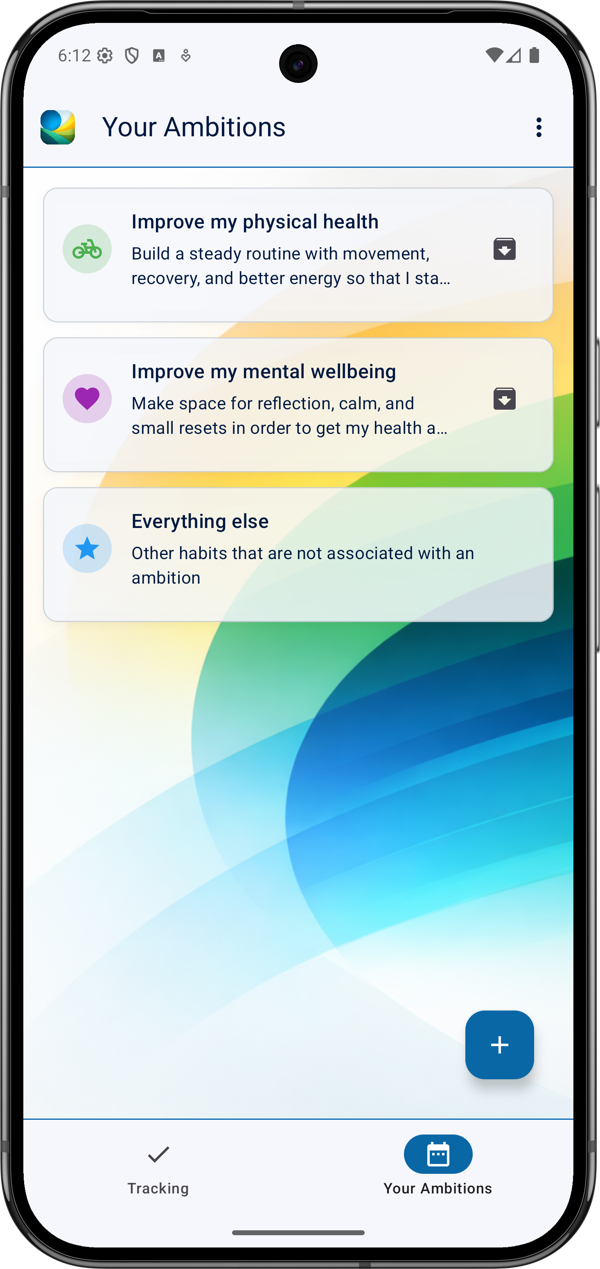
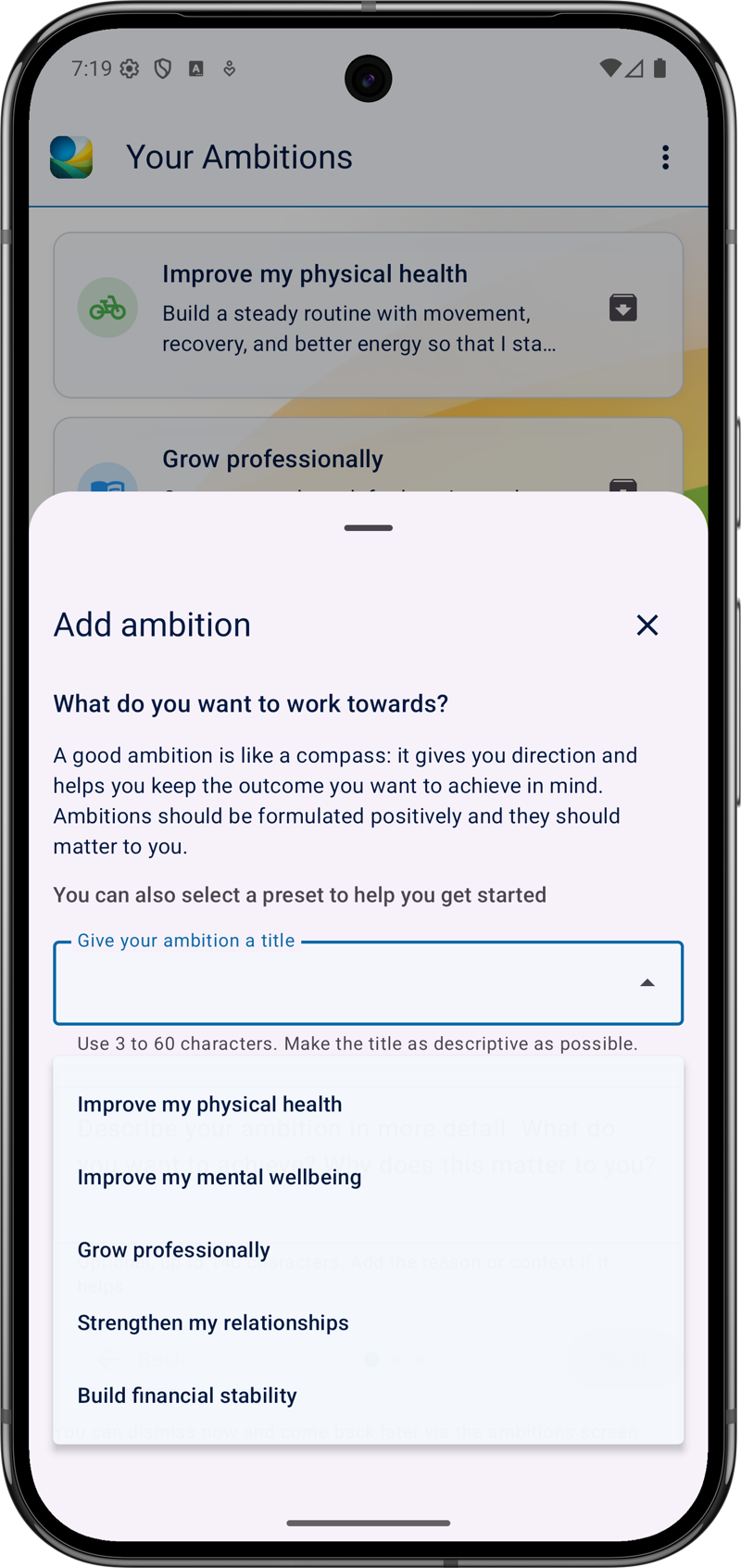
You can edit an ambition and add habits to it by tapping the respective card on the Your Ambitions screen.
Add small habits that, if repeated consistently, will help you make progress towards your ambition.
On this screen, you can also:
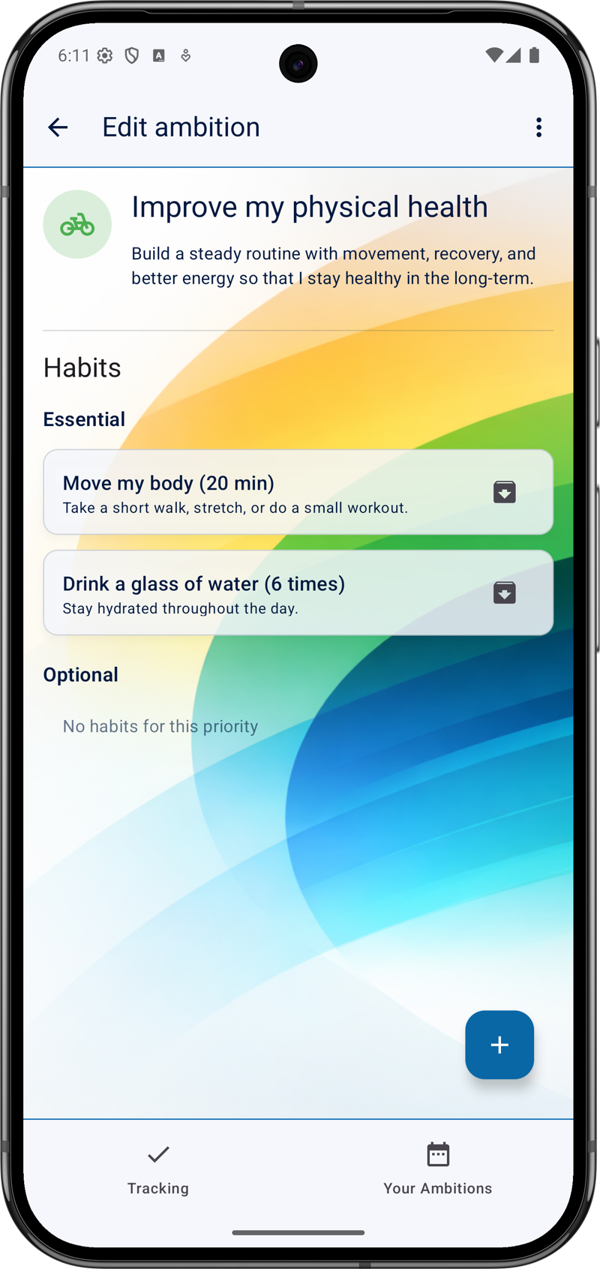
If you are unsure how to get started, you can select one of the presets from the dropdown menu when adding a new ambition.
Make sure to tick the checkbox on the last page of the wizard if you also want a set of predefined habits to be added to your ambition automatically.
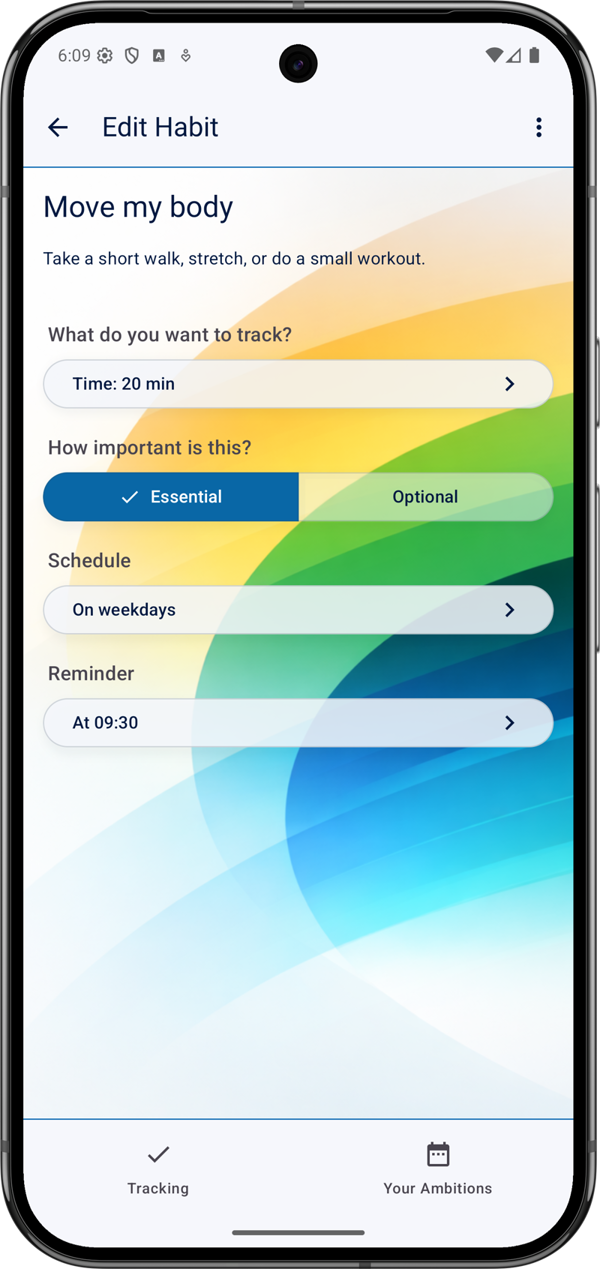
You can edit a habit by tapping the respective card on the Edit Ambition screen. On this screen, you can:
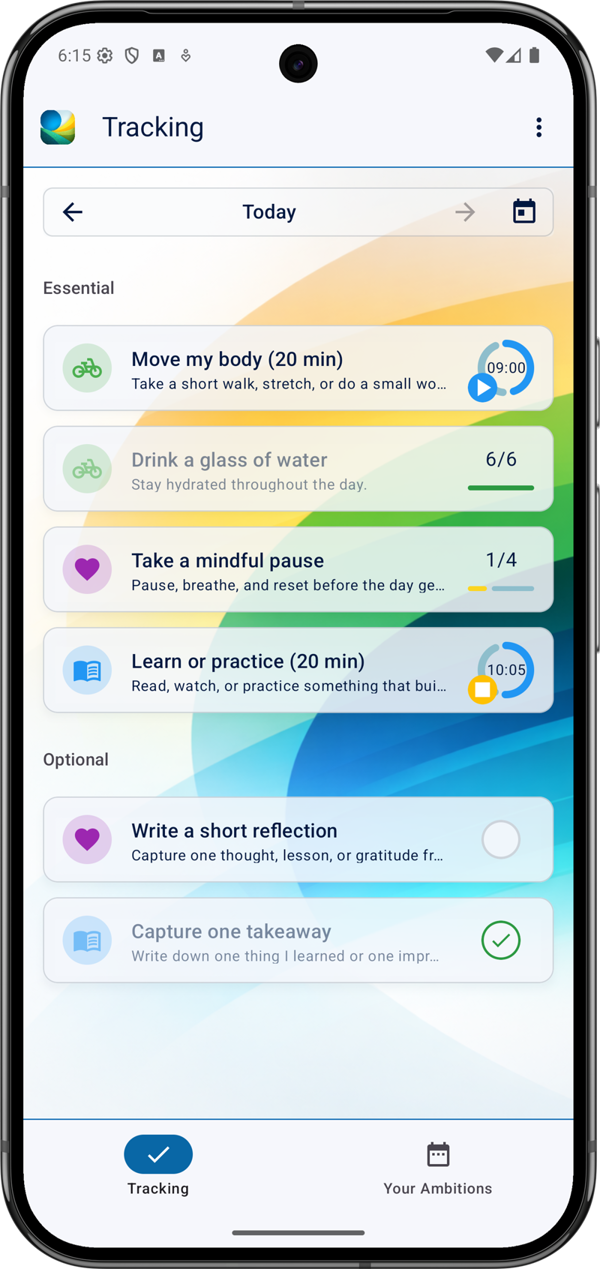
On the app's Tracking screen, you see a list of all the habits you've scheduled for the selected day. You can track your progress using the completion controls on the right side of the cards:
Meaningful Days is a small, independent app.
Free to use, no ads, no account required.